
1. Project concept
An upgrade to the existing SCAD app will take the app’s current layout and mold its content by adding MySCAD, Blackboard, and Bee Line tracking functionality to better suit the needs of current SCAD students.
Keyword/Category: Education
2. Goals
This project will aim to direct the target audience of the SCAD app away from prospective students and more toward current students and their needs.
The upgrade will cut the Multimedia, Admission, and Student Work sections of the app, as all three advertise SCAD to prospective students, which makes little sense when the majority of the app’s features provide information such as weather, news, events, and directories that only current students have use for.
Every other tab currently in the app will remain, but one of the main features the upgrade will add is customization. Users can select which SCAD campus they attend, whether they live on campus or off campus, and what features they want to see on the main menu. A few of the programs will change according to their selections, and others can be added or removed depending on the students’ personal preferences.
If students have no interest in Athletics, they can go to the Settings menu and remove it from the main menu. If they change their mind, they can go back in to Settings and bring it back.
A student can even turn off features within larger sections, such as the new MySCAD, Blackboard, and Bee Line sections that this upgrade will add.
- The MySCAD tab will give students use of several existing features from MySCAD, all of which a student can add or remove from the list.
- Zimbra
- SCADPRO Adviser
- Course Registration
- Financial Aid
- Advising
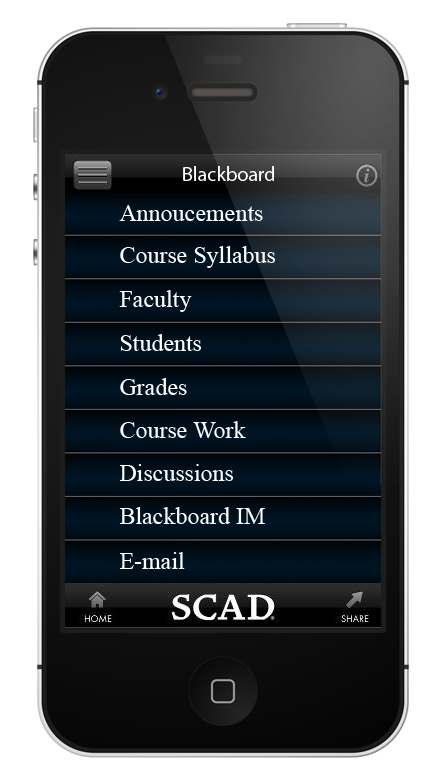
- The Blackboard tab will have a list of features transferred from the current Blackboard site.
- Announcements
- Course Syllabus
- Faculty
- Students
- Grades
- Course Work
- Discussions
- Blackboard IM
- The Bee Line tab will take the existing bus tracking program from MySCAD and make it mobile. Although TransLoc Transit Visualization already provides this service, adding this to the upgraded SCAD app will make it a complete package, so students don’t have to flip between apps to get the information they want.
The “Feedback” tab – the final tab – will allow users to provide in-app feedback and suggest new features for the MySCAD, Blackboard, and Bee Line tabs as well as any other features they would like added to the app.
3. Audience
Current SCAD students, faculty, and staff are the prime audience for this upgrade. They have far more need for the information that already exists on the app, and the new features will help them stay organized and up-to-date on their classes and the events of the college and the community.
4. Platform and cost
Like the original app, this upgraded version will be free, and available for all mobile platforms. This app will stay open and available for students to make their lives easier.
5. Social media integration
The current Twitter tab will remain in the upgraded version. Its collage of messages from many of SCAD’s different Twitter accounts provides a good source of light news, such as student accomplishments and minor announcements relating to the school that don’t require a full news article.
6. Competing products
No other apps relate to MySCAD, so in that regard there will be no competition. Blackboard and Bee Line, however, each have competition.
A Blackboard app already exists, and the Bee Line can be tracked through TransLoc. But combining the functions of these two apps into the upgraded SCAD app will encourage students to choose our app over competitors. An all-in-one package will suit more needs at once, and be less of a hassle.
7. Functionality
When the user loads up the app for the very first time, the Settings menu will appear.
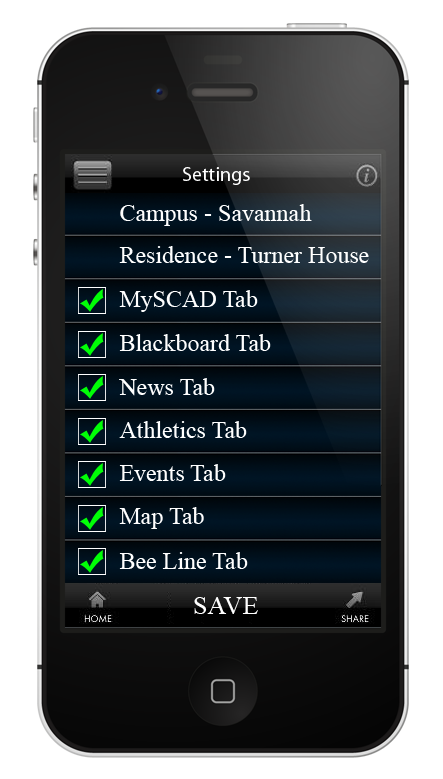
The user can select his/her campus and residence, and then begin choosing which options he/she wants to view on the Main Menu. Once finished, the user can click “SAVE” and view the Main Menu/Home screen.

The upgrade will keep both modes for viewing tabs that the current version already provides. By clicking on the icon on the top left corner of the screen, the user can choose to either have all of his/her selected tabs presented in a loop (similar to a wheel) with no top or bottom to the list, or in a simplified list format.
The user can scroll through the list of options by dragging his/her finger up and down the screen. Tapping will open up a tab, which will either lead to another menu or start up the selected program.
In the case of the Bee Line tab, tapping it will take the user to this screen.
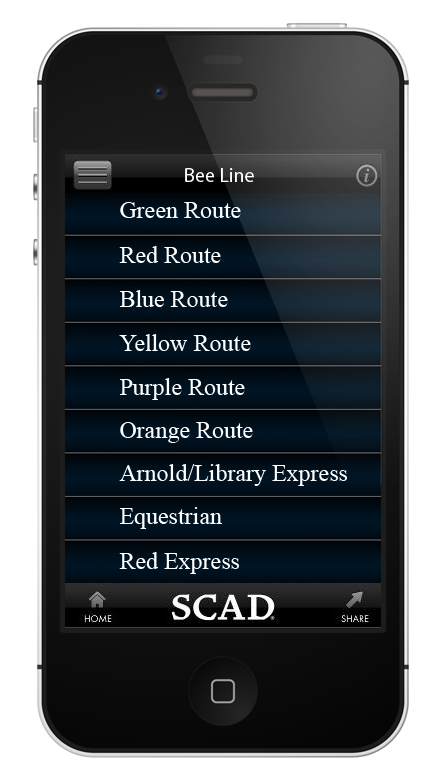
There are more options on this list than those shown here, including weekend bus routes, Terrace Express, and all of the transportation options for the Hong Kong and Atlanta campuses. The user can scroll through them with his/her finger. Once the right bus has been found on the list, the user can click to begin tracking it.
Depending on the user’s campus, the options will change to reflect the transportation system of his/her campus.
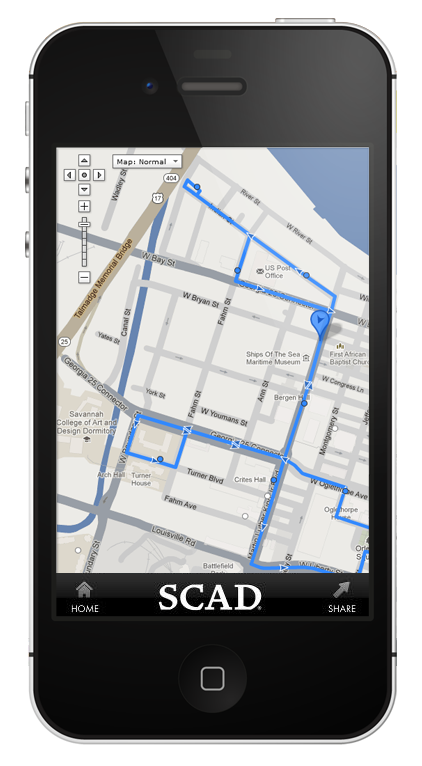
Just as with Google Maps, users can pinch the screen to zoom in or out, and slide the screen with your finger.
If at any point you want to return to the home menu, you can click the “HOME” icon in the bottom left corner of the screen.
8. Design
The upgrade will keep the current layout and design of the SCAD app, since it is a very simple, easy to understand, and eye-pleasing design. In place of the current list of tabs, the users can customize what they see on most menus.
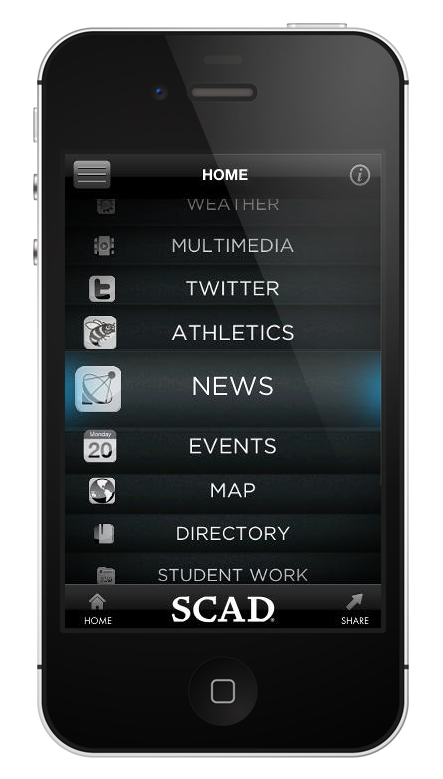
For the Blackboard and MySCAD tabs, the layout for the main menu will be used to keep them unified.

 Thomas Aaron Ryefield | Technical Writer